
The iPad is a revolutionary computing device but depending on your needs it may not be ready to fully replace your Mac. It will compliment it well however!
iOS and macOS are both operating systems developed by Apple, but they are designed for different types of devices and use cases. Here are some key differences between the two:
- Device Type:
- iOS: iOS is designed for mobile devices like iPhones and iPads. It is a touch-based operating system optimized for smaller screens and is primarily used for communication, entertainment, productivity, and mobile apps.
- macOS: macOS is designed for Apple’s desktop and laptop computers, including the MacBook, iMac, and Mac Mini. It supports both traditional input methods (keyboard and mouse/trackpad) as well as touch functionality on certain Mac models.
- User Interface:
- iOS: iOS has a touch-friendly interface with larger icons and controls suitable for touch gestures.
- macOS: macOS offers a more traditional desktop interface with a menu bar, resizable windows, and support for mouse and keyboard interactions.
- App Ecosystem:
- iOS: iOS has a vast ecosystem of mobile apps available through the App Store. These apps are designed specifically for mobile devices and take advantage of touch interfaces and smaller screens.
- macOS: macOS has its own App Store, which hosts applications designed for desktop and laptop use. These apps may offer more advanced features and take advantage of larger screens and more powerful hardware.
- Hardware and Performance:
- iOS: iOS is optimized for power efficiency and runs on Apple-designed mobile processors (e.g., A-series chips). It’s focused on providing good performance within the constraints of mobile hardware.
- macOS: macOS is designed to run on more powerful hardware, often using Intel or Apple’s own M1 processors. This allows for more demanding tasks like video editing, software development, and resource-intensive applications.
- Multitasking and Window Management:
- iOS: iOS offers multitasking features, but they are more limited compared to macOS. Users can run two apps side by side, use Slide Over for a floating app, and access the App Switcher for quick app switching.
- macOS: macOS provides more advanced multitasking and window management capabilities, including the ability to run multiple apps in resizable windows, use Mission Control for managing spaces and full-screen apps, and access more powerful keyboard shortcuts.
- File Management:
- iOS: iOS has a simplified file management system, with apps managing their own files within their sandboxed environments.
- macOS: macOS offers a more traditional file system with a Finder app for browsing and managing files and folders.
- Integration with Other Apple Devices:
- Both iOS and macOS devices can integrate with other Apple devices like Apple Watch, AirPods, and HomePod. However, macOS offers deeper integration with devices like iPhones through features like Handoff, Continuity Camera, and Universal Clipboard.
- Development and Software Compatibility:
- iOS: Apps developed for iOS use UIKit or SwiftUI frameworks and are specifically designed for touch interfaces.
- macOS: Apps developed for macOS use AppKit or SwiftUI frameworks and can take advantage of desktop-specific features.
Overall, the choice between iOS and macOS depends on the type of device you’re using, your workflow, and the tasks you need to accomplish.

What tasks is an iPad better for?

iPads are better suited for certain tasks compared to Macs due to their portability, touch interface, and unique capabilities. Here are some tasks where an iPad might excel over a Mac:
- Portability and On-the-Go Use: iPads are much lighter and more portable than most Mac laptops. They are ideal for tasks that require mobility, such as reading, browsing, note-taking, and casual gaming. Their long battery life and instant-on capabilities make them convenient for quick tasks while on the move.
- Digital Sketching and Drawing: iPads, especially when used with an Apple Pencil, offer an excellent platform for digital artists, illustrators, and designers to create intricate sketches, drawings, and digital paintings. The precision and pressure sensitivity of the Apple Pencil make it a popular tool for artistic work.
- Annotating and Markup: The touch interface of an iPad, combined with the Apple Pencil, makes it easy to annotate and markup documents, PDFs, presentations, and images. This is useful for professionals who need to review and provide feedback on visual or written content.
- Media Consumption: iPads are great for consuming media such as reading eBooks, watching movies, listening to music, and browsing the web. The touch interface enhances the overall multimedia experience, and the iPad’s high-quality display is well-suited for these activities.
- Note-Taking and Handwriting Recognition: The combination of an iPad and Apple Pencil allows for natural handwriting and note-taking. Many apps offer handwriting recognition, converting handwritten notes into digital text, which can be useful for students, professionals, and anyone who prefers handwritten input.
- Casual Gaming: iPads offer a wide range of games on the App Store, making them a popular choice for casual gamers. Touch-based controls can provide a unique and immersive gaming experience, especially for puzzle games, strategy games, and mobile titles.
- Augmented Reality (AR) Applications: iPads support augmented reality apps that leverage the device’s camera and sensors to overlay digital elements onto the real world. This can be used for educational purposes, interactive experiences, or professional applications like architectural visualization.
- FaceTime and Video Calls: iPads make for excellent devices for video conferencing and FaceTime calls due to their front-facing cameras, larger screens, and user-friendly interface. They offer a more comfortable and natural experience compared to using a Mac for video calls.
It’s important to note that while iPads excel in these areas, they may not be as suitable as Macs for tasks that require advanced software applications, extensive multitasking, intricate software development, or heavy-duty video and photo editing. The choice between an iPad and a Mac ultimately depends on your specific needs and use cases.
What tasks is a Mac better for?
Macs are better suited for certain tasks that require more computational power, advanced software, multitasking, and a traditional desktop computing environment. Here are some tasks where a Mac might excel over an iPad:
- Professional Software and Applications: Macs offer more processing power and memory, making them better for running resource-intensive software such as video editing, 3D modeling, graphic design, software development, and music production applications. These tasks often demand more processing and graphical capabilities than what an iPad can provide.
- Multitasking and Productivity: Macs provide a more robust multitasking environment, allowing you to run multiple applications simultaneously in resizable windows. This is essential for tasks that involve heavy multitasking, such as managing large datasets, using multiple applications side by side, and working with complex documents.
- Complex Document Creation and Editing: For tasks that involve creating and editing complex documents, spreadsheets, presentations, or databases, a Mac’s larger screen, precise mouse/trackpad input, and more extensive software options (such as Microsoft Office suite) can be advantageous.
- Coding and Development: Macs are widely used by developers and programmers due to their compatibility with development environments, compilers, and a wide range of programming languages. Integrated development environments (IDEs) like Xcode are designed for Mac and provide tools for software development.
- Video and Photo Editing: While iPads offer capable editing tools, Macs are better suited for professional-level video and photo editing due to their more powerful hardware, larger displays, and availability of advanced software like Adobe Creative Cloud applications (Photoshop, Premiere Pro, etc.).
- Virtualization and Running Multiple Operating Systems: If you need to run virtual machines, simulate different operating systems, or use software that’s only available on certain platforms (like Windows), a Mac offers better support for virtualization and running multiple operating systems simultaneously.
- Web Development and Server Management: Macs are popular among web developers and system administrators for tasks related to web development, server management, and running local development servers.
- Data Analysis and Modeling: For tasks involving data analysis, scientific research, and modeling, Macs provide more powerful hardware and support for specialized software and tools used in these fields.
- File Management and Organization: macOS provides a more comprehensive and traditional file management system through Finder, which can be advantageous for users who need to organize and manage large amounts of files and folders.
- Advanced System Customization and Control: Macs offer a higher degree of customization, system control, and access to system-level settings compared to iPads, making them suitable for users who require fine-tuned control over their computing environment.
While Macs excel in these areas, iPads can still complement your workflow and offer unique capabilities in different contexts. Ultimately, the choice between a Mac and an iPad depends on your specific needs, preferences, and the tasks you intend to accomplish.
- I’m buying a used Mac, what’s best for my needs and budget?
- MacBook Pro
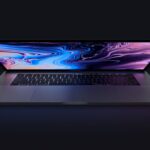
- MacBook and MacBook Air

- Mac Desktops


Can you run Mac Applications on iPad and iPad Apps on Mac?

You cannot directly run macOS applications (often referred to as “Mac apps” or “desktop apps”) on an iPad. This is because macOS applications are designed for a different architecture and input method (keyboard and mouse/trackpad) than what iPads use (touch and Apple Pencil).
Apple has introduced a technology called “Universal Control” that allows for more seamless interaction between a Mac and an iPad. With Universal Control, you can move your cursor between a Mac and an iPad and even drag and drop files and content between the two devices. It provides a more integrated workflow but does not enable direct execution of Mac applications on an iPad.
With the introduction of Apple Silicon and the M1 chip, some iPad applications (referred to as “iPad apps”) can be run on macOS. This feature is called “Rosetta 2” and it allows for the translation of apps built for iPad’s ARM architecture to run on Apple Silicon Macs. However, not all iPad apps are available on the Mac, and developers have the option to make their iPad apps available on the Mac App Store.
Getting Applications on Your Mac: You can get applications for your Mac through the Mac App Store or directly from developers’ websites. The Mac App Store is a centralized place where you can browse and download a wide range of applications, including productivity tools, entertainment apps, creative software, and more. Additionally, some developers distribute their applications outside of the Mac App Store, and you can download and install them from their official websites.
Getting Applications on Your iPad: You can get applications for your iPad through the App Store, which is the primary source for iOS and iPadOS apps. The App Store offers a vast selection of apps across various categories, including games, productivity, education, entertainment, and more. You can browse, search, and download apps directly to your iPad from the App Store.
I do professional editing, am I going to have the same experience on iPad and Mac?

While the iPad has made significant strides in professional editing capabilities, there are still some differences between the iPad and Mac that might affect your editing experience, especially for tasks that require intensive processing and advanced features. However, it’s important to note that Apple has been actively working to bridge the gap between the two platforms, and there have been updates and improvements since then. Here’s what you might expect:
iPad for Professional Editing:
- Photo Editing: The iPad, especially with models that support the Apple Pencil, can provide a highly tactile and precise environment for photo editing. Apps like Adobe Lightroom, Affinity Photo, and Pixelmator Pro offer powerful photo editing capabilities on the iPad.
- Video Editing: While video editing on the iPad has improved, it might not offer the same level of complexity and flexibility as professional video editing software on the Mac. Apps like LumaFusion and Adobe Premiere Rush offer video editing features optimized for touch interfaces.
- Illustration and Design: The iPad’s touch and stylus capabilities make it a great platform for illustration and design work. Apps like Procreate and Adobe Fresco are popular choices for digital artists.
- Portability and Touch Interaction: The iPad’s portability and touch interface can be advantageous for on-the-go editing and sketching. The Apple Pencil allows for natural drawing and editing, and the iPad’s Retina display provides accurate color representation.
Mac for Professional Editing:
- Processing Power: Macs, especially those with high-end configurations, offer more processing power and memory, making them better suited for resource-intensive tasks like rendering complex video projects or working with large files.
- Advanced Software: Many professional software applications for editing, such as Adobe Creative Cloud suite (Photoshop, Premiere Pro, etc.), are more feature-rich and mature on the Mac platform. They offer advanced tools and a more comprehensive editing experience.
- Multitasking and Workflow: The Mac’s ability to run multiple applications simultaneously in resizable windows can enhance multitasking and streamline your editing workflow. The Mac also supports more advanced keyboard shortcuts and precision mouse/trackpad input.
- Large Display Options: Macs typically offer larger and higher-resolution displays, which can be beneficial for detailed editing work and comparing multiple files side by side.
Considerations:
- Workflow Integration: Depending on your specific workflow, you might find it more seamless to work on the same platform where you perform other professional tasks. If you’re already using a Mac for other work, it might be more efficient to continue using it for editing.
- Evolving Capabilities: Apple continues to improve the professional capabilities of the iPad through hardware upgrades, software updates, and the introduction of new apps. It’s worth keeping an eye on updates and reviews to see how the iPad’s editing capabilities evolve over time.
- Hybrid Workflow: Some professionals use a combination of both platforms. For example, you might use an iPad for sketching and initial concepts and then transfer your work to a Mac for more in-depth editing and final touches.
As technology advances, the gap between the iPad and Mac for professional editing continues to narrow. It’s advisable to research the latest iPad models, software updates, and user experiences to make an informed decision based on your specific editing needs.
What documents and files can be interchanged between iPad and Mac? And how?

Apple has implemented several features and services that allow you to interchange documents and files between iPad and Mac. Keep in mind that these features might have evolved since then, so I recommend checking the latest information from Apple’s official sources for the most up-to-date details. Here are some common types of documents and files that can be interchanged between the two platforms and how you can do it:
- iCloud Drive: iCloud Drive is Apple’s cloud storage service that enables you to store various types of files and documents, making them accessible across your devices, including iPad and Mac. You can save files to iCloud Drive from your Mac and then access them from your iPad and vice versa. To use iCloud Drive:
- On Mac: Save files to iCloud Drive by simply dragging and dropping them into the iCloud Drive folder in Finder.
- On iPad: Access files from the Files app, which integrates with iCloud Drive. You can open and edit documents directly from the Files app.
- Photos and Videos: Photos and videos taken with your iPad can be synced to your Mac’s Photos app, and vice versa. iCloud Photos can keep your photo and video libraries up to date across all your devices.
- On Mac: Use the Photos app to import and manage your photos and videos. Enable iCloud Photos to sync your media to your other devices.
- On iPad: Access your photos and videos from the Photos app. Enable iCloud Photos to have them automatically sync to your Mac.
- Notes: The Notes app allows you to create and manage notes that sync across your iPad and Mac.
- On Mac: Use the Notes app on your Mac to create and edit notes. Your changes will sync to your iPad.
- On iPad: Access your notes from the Notes app. Notes you create or update on your iPad will also be available on your Mac.
- Files Sharing: You can share files between your iPad and Mac using various methods such as AirDrop, email, messaging apps, or cloud storage services like Dropbox, Google Drive, or OneDrive. These services allow you to send files from one device and access them on the other.
- On Mac and iPad: Use AirDrop to quickly share files between nearby Apple devices. Enable Bluetooth and Wi-Fi on both devices and select the AirDrop option when sharing a file.
- Email and Messaging: You can send files as attachments through email or messaging apps like iMessage. Attach the file to an email or message on one device, and then access and download it on the other device.
- Third-Party Apps: Many third-party apps have versions available for both iPad and Mac. You can use these apps to create, edit, and manage various types of documents and files that are compatible with the respective platforms. Some popular apps include Microsoft Office (Word, Excel, PowerPoint), Adobe Creative Cloud apps, and more.
Remember that app availability, compatibility, and features might vary, so it’s important to research and test the specific apps and services that best suit your interchange needs between iPad and Mac. Additionally, staying within Apple’s ecosystem often provides a more seamless experience for file interchange due to built-in integration features. Whether you’re looking to purchase a Mac or an iPad a used or refurbished device is the best way to affordably find the machine that meets your needs!
Which is more more secure, iPad or Mac?

Both iPads and Macs are generally considered to be more secure and less susceptible to malware compared to other platforms like Windows. However, no system is completely immune to malware, and it’s important to take security precautions on any device you use. Here’s a breakdown of the security landscape for iPads and Macs:
iPad Security: iPads have several security features that contribute to their relatively high level of safety:
- App Store Review Process: All apps on the App Store go through a stringent review process by Apple to ensure they meet certain standards and do not contain malicious code.
- App Sandboxing: Apps on iPads run in a restricted environment called a “sandbox,” which limits their access to sensitive system resources and other apps. This containment helps prevent malicious apps from affecting the entire system.
- Limited User Privileges: iOS (iPad’s operating system) restricts apps from accessing sensitive data and system resources without explicit user permission. This reduces the risk of unauthorized access.
- Regular Updates: Apple provides regular software updates that include security patches to address vulnerabilities and potential threats.
- Biometric Authentication: Many iPads offer Touch ID or Face ID, which provide secure and convenient biometric authentication methods.
Mac Security: Macs also have strong security measures, but they have a more open ecosystem compared to iOS, which could potentially make them more susceptible to certain types of threats:
- Gatekeeper: macOS includes a feature called Gatekeeper that ensures apps are from trusted sources and have not been tampered with.
- XProtect: macOS has a built-in malware detection tool called XProtect, which helps identify and block known malware.
- App Notarization: Apple requires developers to notarize their apps before distributing them, helping to verify the integrity of apps.
- User Account Control: Similar to iOS, macOS prompts users for permissions before allowing apps to access certain sensitive data or system resources.
- Firewall and Encryption: macOS offers a built-in firewall and supports strong encryption for data protection.
Despite these security measures, it’s important to stay vigilant and follow best practices to enhance your device’s security:
- Keep your device’s operating system and apps up to date.
- Be cautious when downloading and installing apps from third-party sources.
- Use strong, unique passwords or passcodes for your device and accounts.
- Enable two-factor authentication where available.
- Educate yourself about phishing scams and be cautious of suspicious emails or websites.
- Regularly back up your data to protect against data loss.
While iPads and Macs offer a high level of security, no device is completely immune to evolving threats. Practicing good cybersecurity habits and staying informed about the latest security practices will help you maintain a safe computing environment.
Which is better for a child, Mac or iPad?

The choice between a Mac and an iPad for a child depends on several factors, including the child’s age, educational needs, the type of tasks they’ll be performing, and your personal preferences. Both devices offer unique benefits, and the decision should be based on how well each option aligns with the child’s activities and learning style. Here are some considerations:
iPad for Children:
- Touch Interaction and Simplicity: iPads have a touch-based interface that is intuitive and easy for children to use. Younger children, especially preschoolers and early elementary school students, may find the iPad’s touch interactions more engaging and straightforward.
- Educational Apps and Interactive Learning: The App Store offers a wide range of educational apps specifically designed for children. These apps can make learning more interactive and enjoyable, covering subjects such as math, reading, science, and creativity.
- Portability and Mobility: iPads are lightweight and portable, making them suitable for on-the-go use and travel. They are also ideal for interactive storytelling, drawing, and creative activities.
- Parental Controls: iPads offer robust parental control features that allow you to manage and restrict content, set screen time limits, and control access to apps and websites.
- Digital Creativity: iPads support digital drawing and creative apps, making them a great choice for children interested in art and creative expression.
Mac for Children:
- Productivity and Schoolwork: As children progress in their education, they may require a more traditional computing environment for tasks like typing essays, creating presentations, and using educational software that might not be available on an iPad.
- Advanced Learning and Research: Macs offer more advanced capabilities for research, coding, software development, and other tasks that might be relevant as a child grows older and their academic needs expand.
- Keyboard and Mouse Skills: Using a Mac can help children develop essential keyboard and mouse skills, which are important for school and future professional endeavors.
- Multitasking and Window Management: Macs provide a more robust multitasking environment, allowing children to work on multiple projects simultaneously and manage multiple windows.
- Long-Term Use: Macs generally have a longer lifespan than iPads and can potentially serve a child’s computing needs from elementary school through high school and beyond.
Ultimately, the decision between a Mac and an iPad for a child should be based on the child’s age, the specific tasks they’ll be performing, and your budget. Many families find that a combination of both devices can offer a well-rounded learning experience. iPads are often a great starting point for younger children, while Macs can become more relevant as they enter higher grade levels and require more advanced computing capabilities for schoolwork and learning.



