
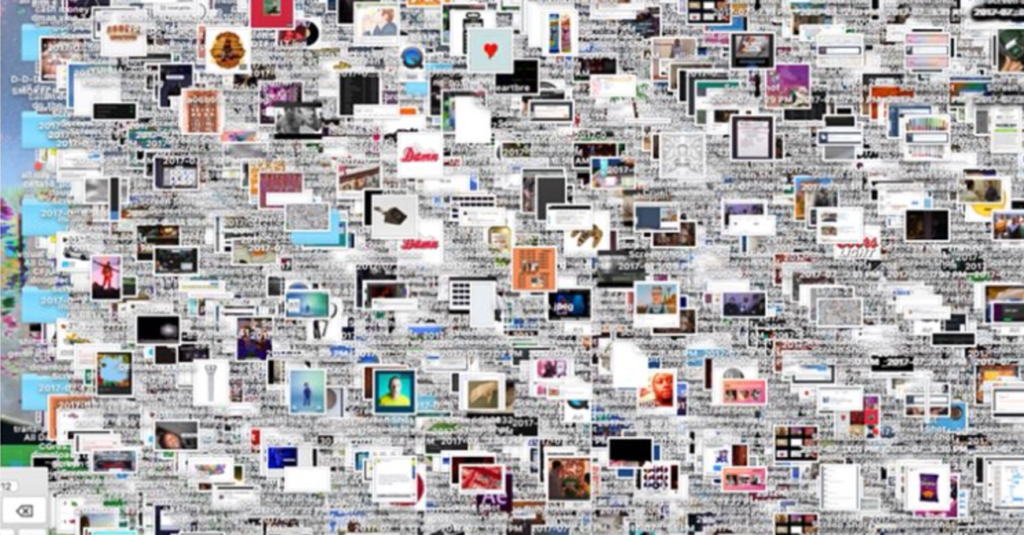
Keeping the Mac desktop organized not only helps to locate files but improve performance.
A cluttered desktop on a Mac can potentially affect performance. Here are a few ways a cluttered desktop could potentially affect performance:
- Resource Consumption: Each file and icon on the desktop consumes system resources. While individual files are typically small, having a large number of them on the desktop can add up and consume memory and processing power.
- Graphical Rendering: The desktop environment, including icons and their arrangement, is rendered graphically. The more icons you have, especially if they’re in view and not just in a folder, the more graphical processing power is needed. This is more of a concern on older or less powerful Macs.
- Finder Refresh: The Finder constantly refreshes the desktop to ensure that icons are correctly arranged and displayed. If you have a large number of items on your desktop, this refreshing process can contribute to system overhead.
- Storage Space: If your desktop is cluttered with large files, it can consume significant storage space on your startup disk. A fuller disk can lead to slower performance as the system has less space to work with for various tasks.
- Search and Indexing: macOS indexes the content of files on your desktop for quick search results. If you have a lot of files, this indexing process may take longer and potentially impact system performance.
While these factors can contribute to a reduction in performance, it’s important to note that for most users with relatively modern Macs, the impact is likely to be minimal. macOS is designed to handle a reasonable number of files and icons on the desktop without significantly affecting performance.
If you find your Mac is slowing down, it might be worth cleaning up your desktop, organizing files into folders, and removing unnecessary items. Additionally, regularly optimizing your storage, performing system updates, and managing startup items can help maintain optimal performance.
Denver Mac Repair offers Mac Tune-up options that can help organize, clean up and speed up your Mac.
How do I keep my desktop organized?
Enabling Stacks:
- Right-Click on Desktop:
- Right-click (or Control-click) on your desktop.
- In the context menu, select “Use Stacks.”
- View Options:
- You can also access Stacks settings by clicking on the desktop and then selecting “View” in the menu bar, followed by “Use Stacks.”
Grouping by Stacks:
After enabling Stacks, macOS will automatically group files on your desktop based on certain criteria. By default, it might organize files into the following stacks:
- By Kind: This groups files by their type (e.g., images, PDFs, documents).
- By Date: This organizes files based on when they were added or modified.
Customizing Stacks:
You can customize how Stacks organizes files:
- Right-Click (or Control-Click) on Desktop:
- Right-click on the desktop.
- Hover over “Group Stacks By” to choose a grouping criterion (Kind, Date, etc.).
- View Options:
- Click on the desktop.
- In the menu bar, go to “View” and select “Group Stacks By” to choose a criterion.
Opening Stacks:
- Clicking on a Stack expands it to show the files it contains.
- Clicking again collapses the Stack.
Removing Stacks:
If you want to disable Stacks:
- Right-Click (or Control-Click) on Desktop:
- Right-click on the desktop.
- Uncheck “Use Stacks.”
- View Options:
- Click on the desktop.
- In the menu bar, go to “View” and uncheck “Use Stacks.”
What are some other tools to keep your desktop organized?
Keeping your Mac desktop organized can greatly improve your workflow and make it easier to find what you need. Here are some tools and methods you can use:
- Folders:
- Create folders to group related files together.
- Use meaningful names for folders to quickly identify their contents.
- Tags:
- Assign color-coded tags to files and folders for easy visual identification.
- Tags can be added in the Finder, and you can search for files based on tags.
- Smart Folders:
- Create Smart Folders that automatically gather files based on specific criteria (e.g., files created within the last week).
- Smart Folders dynamically update as files match the criteria.
- Mission Control:
- Use Mission Control to create additional desktop spaces for different projects or types of work.
- Swipe between desktops to keep different sets of files and applications organized.
- Hazel:
- Hazel is an automation tool that can organize files on your desktop based on rules you define.
- You can set up rules to move, rename, or categorize files automatically.
- Unclutter:
- Unclutter is a tool that provides a space at the top of your screen for quick access to notes, clipboard history, and files.
- It can help keep your desktop free of clutter by providing a separate area for temporary storage.
- Cloud Storage:
- Move less frequently used files to cloud storage services like iCloud.
- Access files when needed without cluttering your local desktop.
- Regular Cleanup:
- Periodically go through your desktop and move files to appropriate folders or delete unnecessary items.
- This manual process helps maintain a clutter-free desktop.
Remember that the best organization system is one that suits your workflow and preferences. Experiment with different tools and methods to find what works best for you. Regular maintenance and organization can go a long way in keeping your Mac desktop efficient and tidy.
What about iCloud Desktop?
The iCloud Desktop & Documents feature is part of iCloud Drive and is designed to sync the contents of your Desktop and Documents folders across all your Apple devices. This feature helps you access your files seamlessly from any Mac, iPhone, iPad, or even the iCloud website. Here’s how it works:
Enabling iCloud Desktop & Documents:
- On Your Mac:
- Go to “System Preferences.”
- Click on “Apple ID” (or iCloud, depending on your macOS version).
- In the sidebar, select “iCloud.”
- Check the box next to “Desktop & Documents Folders.”
- Choosing Options:
- After enabling, click the “Options…” button next to “Desktop & Documents Folders.”
- Choose whether you want to store files only in iCloud or keep them on your Mac as well. The latter option saves space on your Mac.
How it Works:
- Syncing:
- When enabled, iCloud starts syncing the contents of your Desktop and Documents folders to iCloud.
- Changes you make on one device are reflected on all other devices connected to the same iCloud account.
- Access from Any Device:
- Files stored in the iCloud Desktop and Documents folders are accessible from any device signed in with the same Apple ID.
- You can access these files through the Finder on Mac, Files app on iOS, or iCloud Drive on the web.
- Optimization:
- If you chose the option to optimize storage on your Mac, iCloud may keep only recent or frequently used files on your local machine.
- Older or less-used files are stored in iCloud but are still accessible when needed.
Considerations:
- Storage Space:
- Files stored in iCloud count against your iCloud storage quota. Ensure you have enough space in your iCloud account.
- Internet Connection:
- Changes sync over the internet, so a stable internet connection is necessary for syncing to occur.
- Security:
- iCloud uses end-to-end encryption to protect your data during transmission, but it’s essential to use secure practices, such as enabling two-factor authentication.
- Deleted Files:
- Be cautious when deleting files. Deleting a file in the iCloud Desktop or Documents folder removes it from all synced devices.
- Versioning:
- iCloud keeps versions of your documents, allowing you to revert to previous states. However, this feature may not be suitable for all file types.
By using iCloud Desktop & Documents, you can enjoy the convenience of accessing your important files from any Apple device while keeping them organized and in sync across your ecosystem.
- Why should I look for a Mac refurbished by Apple Certified Mac Technicians?

- Why does Apple matter when buying a MagSafe 1 or 2 adapter?

- What is the iPhone Air?

- What does it mean when an external hard drive format is for Mac or for Windows?

- Designed by Apple in California. Loved in Colorado.

- How do I migrate my iTunes and App Store purchases to another Apple Account.

- Boulder Mac Repair is currently purchasing Apple Devices for resale.

- What’s new in iOS 26?
