
There are several iPad models including the iPad, iPad mini, iPad Air and iPad Pro.

Apple unveiled its groundbreaking tablet, the iPad, on January 27, 2010, with Steve Jobs introducing it to the world. It officially launched on April 3, 2010, bridging the gap between smartphones and laptops. With its 9.7-inch touchscreen, lightweight build, and seamless access to the App Store, the iPad quickly gained popularity. Over time, Apple has continuously enhanced the device, expanding the lineup with models like the iPad Mini (2012), iPad Air (2013), and iPad Pro (2015), which brought more powerful hardware and support for accessories like the Apple Pencil and Magic Keyboard. Innovations such as Retina displays, Face ID, 5G connectivity, and Apple’s M-series chips have further pushed the boundaries of what a tablet can do. Today, the iPad remains a dominant player in the tablet market, serving everyone from casual users to professionals seeking high-performance capabilities.
TABLE OF CONTENTS
iPad mini

Apple introduced the iPad Mini in 2012 as a compact yet capable tablet, designed for users who prefer a smaller device without compromising on performance. Earlier models featured a 7.9-inch display, while the latest version (2021) expanded to 8.3 inches. Over the years, the iPad Mini has evolved with key upgrades, including Retina displays, Apple Pencil support, and powerful processors like the A15 Bionic. Its lightweight build and one-handed usability make it perfect for reading, gaming, and productivity on the move.
While it shares many high-end features with larger iPads, the Mini stands out for its portability.
The iPad Mini is an excellent choice for users who need a small yet powerful device for mobile use. It’s particularly suited for:
- Travelers & Commuters – Its compact size and lightweight design make it easy to carry and use anywhere.
- Students & Note-Takers – Apple Pencil support allows for seamless note-taking, sketching, and studying on the go.
- Professionals in Specialized Fields – Ideal for pilots, doctors, and field workers who need quick access to documents, charts, or industry-specific apps.
- Casual Readers & Media Consumers – Great for reading e-books, browsing the web, or streaming content without the bulk of a larger tablet.
- Gamers – Its powerful processor and portable form factor make it a strong choice for handheld gaming.
Ultimately, the iPad Mini is the perfect blend of power and portability, making it an excellent choice for those who want a high-performance tablet in a compact package.
iPad
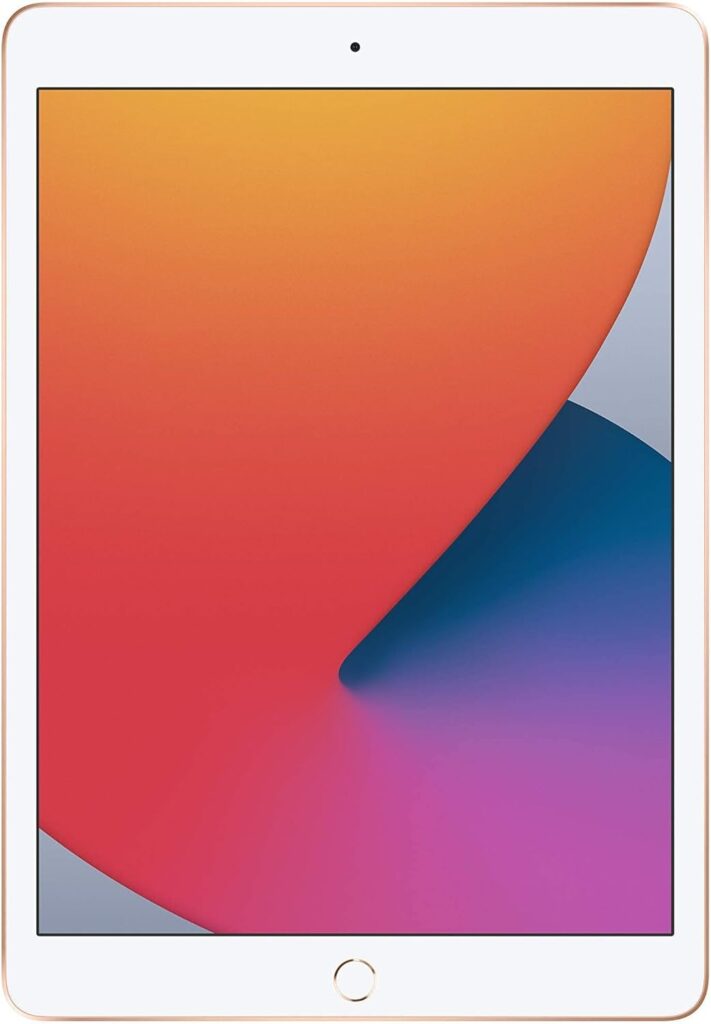
The iPad, often referred to simply as “iPad,” is Apple’s entry-level tablet, designed to deliver a balance of affordability and functionality for everyday users. Since its debut in 2010, it has gone through multiple generations, gaining upgrades such as Retina displays, Apple Pencil support, and faster processors. While it doesn’t offer the high-end features of the iPad Air or iPad Pro—like high refresh rates, M-series chips, or advanced accessories—it remains a dependable option for browsing, streaming, note-taking, and basic productivity. Featuring a 10.2-inch display in earlier models and a 10.9-inch screen in the latest versions, the iPad supports Apple Pencil (1st Gen or USB-C version) and is compatible with the Smart Keyboard, making it a solid choice for students, families, and casual users looking for a capable yet budget-friendly tablet.
Who is the iPad best for?
- Students – Ideal for taking notes, attending online classes, and handling basic schoolwork with Apple Pencil and Smart Keyboard support.
- Families & Kids – A cost-effective option for entertainment, educational apps, and everyday use at home.
- Casual Users – Perfect for web browsing, video streaming, social media, and light gaming.
- Seniors & First-Time Tablet Users – User-friendly with a familiar iPadOS interface, offering a great mix of features without being overly complex.
- Basic Work & Productivity – Great for handling emails, word processing, and light multitasking, though it lacks the power of higher-end iPads.
Why choose the standard iPad?
For those who want a reliable, all-purpose tablet at a reasonable price without the extra power or premium features of the iPad Air or iPad Pro, the standard iPad remains the best option.
iPad Air

The iPad Air is Apple’s mid-range tablet, striking a balance between affordability and high-end performance. First introduced in 2013, it has evolved into a sleek device featuring a 10.9-inch Liquid Retina display, slim bezels, and M-series chips (starting with the M1 in the 2022 model). It supports the Apple Pencil (2nd Gen) and Magic Keyboard, making it a strong choice for productivity, creativity, and everyday use. While it lacks some Pro-exclusive features like ProMotion (120Hz refresh rate) and Face ID, the iPad Air still offers fast performance, a premium design, and long battery life—ideal for those who want more power than the standard iPad without the premium cost of the iPad Pro.
Who is the iPad Air best for?
- Students & Professionals – Excellent for note-taking, multitasking, and productivity with Apple Pencil (2nd Gen) and Magic Keyboard compatibility.
- Creative Users – A great tool for digital artists, photographers, and designers, offering powerful performance for drawing, editing, and content creation.
- Casual & Power Users – With an M1 or newer chip, it’s faster than the standard iPad, making it ideal for gaming, streaming, and seamless multitasking.
- Users Who Want Pro-Level Power Without the Pro Price – Provides high performance, USB-C connectivity, and a modern design, without the added expense of Pro features like ProMotion or Face ID.
Why choose the iPad Air?
For those who want a sleek, powerful, and versatile tablet that blends performance, portability, and price, the iPad Air is a top choice.
iPad Pro
The iPad Pro is Apple’s most powerful and feature-packed tablet, designed for professionals and power users who require cutting-edge performance. First launched in 2015, it comes in 11-inch and 12.9-inch Liquid Retina display options, with the 12.9-inch model featuring a mini-LED XDR display for exceptional brightness and contrast. Equipped with M-series chips (M2 in the latest models), ProMotion (120Hz refresh rate), Face ID, Thunderbolt connectivity, and Apple Pencil (2nd Gen) hover support, the iPad Pro is built for demanding tasks like video editing, 3D rendering, and advanced multitasking. It also supports the Magic Keyboard with a trackpad, making it a true laptop alternative. While it’s the most expensive iPad, it delivers desktop-class performance and pro-level features, making it the top choice for creatives, business professionals, and tech enthusiasts who want the best Apple has to offer.
Who is the iPad Pro best for?
- Creative Professionals – Ideal for graphic designers, digital artists, photographers, and video editors, thanks to its M-series chip, ProMotion display, and Apple Pencil (2nd Gen) support.
- Business & Productivity Power Users – Perfect for multitasking, presentations, and remote work, especially when paired with the Magic Keyboard and trackpad.
- Students & Researchers – A powerful note-taking and research tool with split-screen multitasking, handwriting recognition, and robust app support.
- Developers & Engineers – Great for coding, 3D modeling, and AI-based tasks, thanks to its high-performance processor and large display.
- Gamers & Media Enthusiasts – Delivers an exceptional entertainment experience with its 120Hz ProMotion display, powerful GPU, and immersive audio.
Why choose the iPad Pro?
For those who need the fastest, most capable, and feature-rich iPad, the iPad Pro is the ultimate choice, offering desktop-level power in a portable, versatile device.
What accessories are available for each model of the iPad?
Each iPad model is complemented by a range of accessories designed to enhance productivity, creativity, and usability. Below is a breakdown of accessories compatible with each iPad model:
1. Standard iPad
- Apple Pencil (1st Gen) – Great for note-taking, sketching, and creative tasks.
- Smart Keyboard – A lightweight keyboard for improved typing efficiency.
- Smart Cover/Smart Folio – Protects the screen and doubles as a stand for better viewing angles.
- USB-C to Apple Pencil Adapter – Required for charging the 1st Gen Apple Pencil on newer models with USB-C ports.
2. iPad Mini
- Apple Pencil (1st Gen) – Offers precise handwriting and drawing support. *
- Smart Folio – A protective cover with a stand feature.
- USB-C to Apple Pencil Adapter – For charging the 1st Gen Apple Pencil on USB-C models. *
- iPad Mini Cases & Sleeves – Provide extra protection and portability.
3. iPad Air
- Apple Pencil (2nd Gen) – Supports magnetic charging and advanced precision. *
- Magic Keyboard – A full-sized keyboard with a trackpad, transforming the iPad Air into a laptop-like device.
- Smart Keyboard Folio – A lightweight keyboard and protective cover.
- Smart Folio – A minimalistic protective cover with a stand function.
- USB-C to USB-C Cable – Used for charging and connecting accessories.
- Apple Pencil Holder – A clip or stand to store the Apple Pencil securely.
4. iPad Pro
- Apple Pencil (2nd Gen) – Features hover support, magnetic charging, and premium writing/drawing experience. *
- Magic Keyboard – A backlit keyboard with a trackpad, offering a floating design and laptop-style usability.
- Smart Keyboard Folio – A compact keyboard and protective case without a trackpad.
- Smart Folio – A slim cover with a built-in stand.
- Apple Pencil Holder – Magnetic holders for secure attachment to the iPad Pro.
- Magic Trackpad – Provides extra precision when using the iPad Pro with a keyboard.
- USB-C Hub/Adapter – Expands connectivity for external drives, peripherals, and other accessories.
- External Storage (via USB-C) – Supports external SSDs and USB-C storage devices.
- External Monitors – Enables extended display capabilities via USB-C.
- Laptop & iPad Stands – Adjust the iPad’s position for a better workstation setup.
Universal Accessories (Compatible with Most iPads)
- AirPods – Wireless audio for music, calls, and videos.
- Bluetooth Keyboards & Mice – Adds desktop-like control and navigation.
- Protective Cases – Available in various styles and materials for all models.
- Screen Protectors – Helps prevent scratches, smudges, and glare.
Many accessories like AirPods, Bluetooth keyboards, and cases work across multiple iPad models. However, items like the Apple Pencil and keyboards are specifically designed for certain iPad generations and models. *
How do the models of iPad compare to the MacBook Air and MacBook Pro
1. Portability & Design
- iPads (Standard, Mini, Air, Pro) are lightweight, compact, and touchscreen-based, making them perfect for on-the-go use.
- MacBook Air is thin and lightweight, designed for portability with a traditional laptop design.
- MacBook Pro is bulkier and more robust, catering to professionals who need extra power and connectivity options.
2. Performance & Power
- The iPad Pro (M2) delivers performance on par with the MacBook Air (M2) but remains limited by iPadOS.
- The iPad Air (M1) is similar in power to the M1 MacBook Air but lacks macOS’s full flexibility.
- Standard iPad & iPad Mini handle everyday tasks smoothly but don’t match MacBooks in raw power.
- The MacBook Pro (M3, M3 Pro, M3 Max) is the powerhouse, built for heavy workloads like video editing, coding, and professional applications.
3. Software & Functionality
- iPads run iPadOS, optimized for touchscreen use, Apple Pencil, and a mobile-friendly workflow—great for creativity, media, and casual productivity but lacking full desktop capabilities.
- MacBooks run macOS, providing access to desktop-class applications (Xcode, Final Cut Pro, Logic Pro, etc.), advanced file management, and professional workflows.
4. Keyboard & Accessories
- iPad Air & Pro, when paired with the Magic Keyboard, offer a laptop-like experience—but still run iPadOS.
- MacBooks come with a built-in keyboard and trackpad, ensuring seamless typing and navigation without extra accessories.
5. Battery Life
- iPads generally last longer (10+ hours) due to their efficient ARM-based chips and lower energy demands.
- MacBooks also offer strong battery life, but intensive tasks can drain power faster.
6. Who Should Choose What?
- iPad (Standard/Mini) → Best for casual users, students, and families needing an affordable, portable tablet.
- iPad Air → Ideal for students, professionals, and creatives who want M-series power in a compact design.
- iPad Pro → Suited for power users, artists, and professionals needing top-tier performance but not full macOS software.
- MacBook Air → Perfect for students, office workers, and everyday users wanting a light yet powerful laptop.
- MacBook Pro → Best for developers, video editors, and professionals requiring maximum power and macOS compatibility.
Bottom Line:
- Need a true laptop? Get a MacBook.
- Want a touchscreen with Apple Pencil support? Choose an iPad.
- Looking for a hybrid? The iPad Pro + Magic Keyboard is the closest alternative to a MacBook—but still runs iPadOS.
- Why should I look for a Mac refurbished by Apple Certified Mac Technicians?

- Why does Apple matter when buying a MagSafe 1 or 2 adapter?

- What is the iPhone Air?

- What does it mean when an external hard drive format is for Mac or for Windows?

- Designed by Apple in California. Loved in Colorado.

- How do I migrate my iTunes and App Store purchases to another Apple Account.

- Boulder Mac Repair is currently purchasing Apple Devices for resale.

- What’s new in iOS 26?
