
WWDC 2025 introduced substantial changes across Apple’s devices.
WWDC—short for the Worldwide Developers Conference—is Apple’s flagship yearly gathering for the developers and engineers crafting apps and digital experiences across Apple’s ecosystem, including iOS, macOS, iPadOS, watchOS, and tvOS. Traditionally hosted in person each June in California, the event shifted to a predominantly online format starting in 2020, opening its virtual doors to a global developer audience. It all begins with a highly anticipated keynote that unveils the future of Apple’s software and, at times, introduces new hardware.
The keynote is the highlight of the week, drawing millions of viewers as Apple reveals the next generation of its operating systems and introduces breakthrough innovations like Apple Intelligence, revealed in 2024. It’s also the stage for debuting developer-centric tools—new APIs, enhanced frameworks, and language updates like those for Swift. Occasionally, new hardware takes the spotlight as well, from Macs to revolutionary devices like the Vision Pro. This presentation signals the strategic direction Apple is heading and sets the pace for the developer community at large.But WWDC goes far beyond the keynote. The conference offers deep technical sessions, personalized labs with Apple engineers, and active forums for peer collaboration. These opportunities equip developers with the skills and insights to integrate the latest advancements into their apps while staying aligned with Apple’s evolving platform standards. More than just a conference, WWDC serves as a forward-looking blueprint for innovation within the Apple universe.
TABLE OF CONTENTS
Table of Contents
How is Apple changing the naming of iOS, iPadOS, macOS, tvOS and watchOS?
Apple’s operating system naming conventions have undergone a striking transformation over the decades, mirroring the company’s evolution and shifting priorities. In its early days, the classic Mac OS used simple numerical progression—System 1 through Mac OS 9—signaling steady, incremental change. That approach gave way in 2001 with the debut of Mac OS X, a foundational reboot built on UNIX. The “X,” denoting the Roman numeral for 10, marked a new chapter. Apple paired these versions with names of powerful big cats—Cheetah, Puma, Leopard—conveying a sleek blend of speed and strength. In 2013, Apple pivoted again, trading feline names for iconic California locations like Mavericks and Yosemite. This geographic naming scheme evoked a spirit of innovation rooted in place. Then in 2020, Apple simplified the branding to “macOS,” aligning it with its broader platform family—iOS, watchOS, and tvOS—while retaining the California motif with releases like Big Sur and Monterey. This evolution in naming reflects Apple’s transition from its classic heritage to a more unified, modern software identity.
Now, Apple is once again refining how it names its operating systems—this time adopting a consistent, year-based convention across all platforms. Beginning with the next wave of updates, Apple will use the release year in each OS name: macOS 26 Tahoe, iOS 26, iPadOS 26, watchOS 26, tvOS 26, and visionOS 26. This change is aimed at reducing ambiguity, making it easier for both users and developers to instantly recognize the version and its timeframe. It simplifies the ecosystem by creating a clear, intuitive structure amid Apple’s growing family of platforms.
This unified naming—centered on the year “26”—emphasizes harmony across Apple’s entire product lineup. Whether it’s a Mac, iPhone, iPad, Apple Watch, Apple TV, or Vision Pro headset, every device will now receive updates under a single, coherent versioning system. This approach enhances consistency and reinforces Apple’s goal of seamless integration between devices. For developers, it also streamlines planning and compatibility, allowing them to align their apps with a shared versioning model when incorporating new APIs and features.
Yet Apple isn’t abandoning the individuality of each platform. By pairing the year with evocative, place-based names—like “Tahoe” for macOS—each operating system retains its distinct personality and thematic resonance. This dual-layer naming strategy strikes a balance between clarity and creativity: a unified structure with room for platform-specific storytelling. In essence, Apple’s new naming convention represents a step toward a more synchronized, elegant, and user-friendly software ecosystem for the future.
What is Liquid Glass?
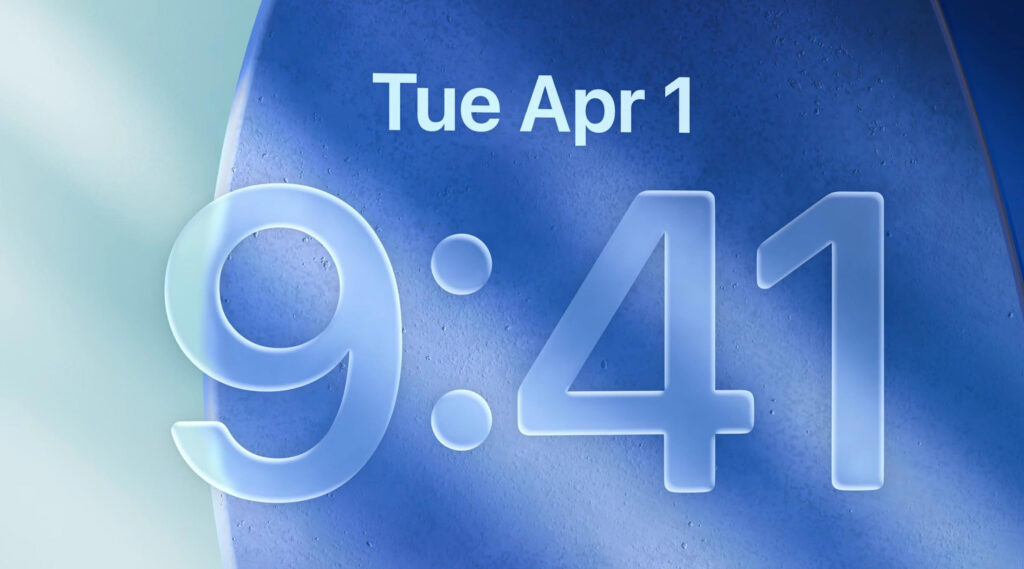
Apple’s Liquid Glass interface represents a refined design philosophy focused on delivering ultra-smooth, fluid, and visually rich user experiences. Drawing inspiration from the qualities of molten glass, this aesthetic uses translucency, layered depth, soft blurs, and reflective highlights to create an interface that feels both responsive and immersive. The result is a UI that looks as if it flows under your fingertips—clear, dynamic, and sophisticated.
This visual language is designed to enhance usability without overhauling interaction. UI elements take on a flowing, glass-like appearance that responds naturally to touch and movement, adding an organic quality to digital interactions. Frosted surfaces and gently shifting backgrounds improve visual hierarchy and readability, while contributing to a unified, modern design. Apple plans to bring this aesthetic across macOS, iOS, and watchOS, establishing a cohesive look that feels consistent no matter which device you’re using.
Importantly, the Liquid Glass interface won’t alter how you navigate your devices. Familiar gestures, buttons, and behaviors remain unchanged. Instead, this evolution is all about feel and finesse—introducing a smoother, more polished visual layer that makes the experience more comfortable, appealing, and modern. It’s a subtle transformation, like upgrading the finish of your environment without rearranging the furniture.
Although Liquid Glass isn’t a standalone feature or product, it symbolizes Apple’s ongoing pursuit of blending technological innovation with elegant design. It underscores the company’s commitment to creating interfaces that are not only functional but emotionally resonant—beautiful, intuitive, and effortless to use.
What are the key new features in iOS 26 other than Liquid Glass?
In addition to its breathtaking new Liquid Glass aesthetic, iOS 26 introduces a suite of intelligent features that significantly elevate the iPhone experience. At the forefront is Apple Intelligence 2.0—the next generation of Apple’s AI assistant. Smarter, faster, and more attuned to your context, it delivers tailored suggestions and more natural voice interactions, streamlining everything from daily reminders to multi-app tasks. Deeply embedded across the system, this upgraded intelligence turns your iPhone into an even more intuitive companion.
One of the standout innovations in iOS 26 is Adaptive Widgets. These dynamic widgets evolve throughout your day, adjusting based on your routine, location, and schedule. Need your agenda in the morning, travel updates in the afternoon, or media controls at night? Adaptive Widgets surface exactly what matters most in the moment—without you lifting a finger.
Focus Modes in iOS 26 also receive a significant upgrade, offering deeper personalization and automation. You can now craft multi-layered profiles that go far beyond muting notifications—reconfiguring your home screen, adjusting sound settings, and even limiting app access based on your environment or activity. Whether you’re working, unwinding, or commuting, your iPhone transforms right along with you.
Collaboration is taken to the next level with Live Collaboration Across Apps. This expanded feature lets you co-edit and share content in real time—not just in Notes or Files, but in Messages, Mail, and even Safari. Planning, brainstorming, or browsing with friends or coworkers is now seamless and immediate, no matter the app.
Privacy and wellness are also key priorities in iOS 26. Enhanced on-device encryption ensures greater control over your personal data, while streamlined privacy tools offer timely alerts if apps request access to sensitive information. On the health front, iOS 26 debuts new mental health check-ins, smarter sleep insights, and tighter integration with third-party wellness gear—helping you stay in tune with your body and mind.
Altogether, these upgrades—paired with the refined elegance of the Liquid Glass interface—make iOS 26 not just a visual refresh, but a thoughtfully designed leap forward in intelligence, usability, and personal well-being.
What’s new in macOS 26 Tahoe?
macOS 26 arrives with a powerful lineup of new features aimed at enhancing productivity, expanding system intelligence, and tightening the synergy between Apple’s devices.
Leading the charge is Universal Workspaces, a groundbreaking addition that allows users to fluidly transfer their entire desktop environment—including active apps and individual windows—between Mac, iPad, and the Vision Pro headset. Whether you’re designing, writing, or presenting, your workflow now moves with you across devices, maintaining context and continuity every step of the way.
Another key innovation is Smart Desktop Spaces, a context-aware system that intelligently curates and arranges your desktops based on how you work. By learning your routines—like when you write, design, or join meetings—macOS 26 automatically generates focused, distraction-free workspaces tailored to your current task, streamlining your day from start to finish.
The Finder also receives a modern overhaul powered by Apple Intelligence 2.0. With AI-driven search suggestions, automated file tagging, and adaptive organization tools, managing files is now faster, smarter, and more intuitive. Whether you’re browsing local drives or cloud folders, the new Finder helps you stay effortlessly organized.
On the privacy and security front, Enhanced On-Device Protection introduces stronger encryption frameworks and detailed privacy dashboards, empowering you to monitor and control app access with clarity and confidence. macOS 26 also debuts advanced power optimization tools that extend battery life without compromising speed—perfect for both stationary setups and mobile MacBooks.
Altogether, macOS 26 is more than just a feature update—it’s a thoughtful evolution that deepens intelligence, sharpens privacy, and brings a seamless cross-device experience to the heart of your daily computing.
With the huge change to iPadOS is the iPad now a Mac?
iPadOS 26 marks a bold evolution in Apple’s ongoing mission to bring desktop-class performance to the iPad, delivering a feature set that significantly narrows the gap between tablet and Mac. Yet it carefully preserves the iPad’s hallmark strengths—mobility, ease of use, and a touch-centric interface—creating a uniquely balanced experience that’s more powerful than ever without losing its identity.
A standout addition is the all-new Advanced Multitasking and Window Control system. Drawing clear inspiration from macOS, iPadOS 26 now lets users open and freely position resizable, overlapping app windows. You can group apps into custom layouts, switch between them with ease, and save your preferred setups for future workflows. This change empowers creators, students, and professionals to work across multiple apps with the kind of freedom once limited to traditional desktops—all within a tactile, touch-first environment.
Another major enhancement is the reimagined Files App, offering a dramatically improved file management experience. Now supporting features like quick previews, intelligent tagging, smart folders, and robust external drive compatibility, the Files app functions more like the Finder on macOS than ever before. It’s a meaningful upgrade for users who rely on structured digital storage and want a more professional workflow on their iPad.
iPadOS 26 also expands the scope of what apps can do. Enhanced App Performance and Developer Tools open the door for more powerful, desktop-style applications. Apps can now run in full windowed mode with support for keyboard shortcuts, custom toolbars, and greater access to the file system—allowing developers to deliver richer, more capable experiences. Yet all of this unfolds within the familiar iPad interface, preserving the immediacy of touch and Apple Pencil input.
Still, iPadOS 26 doesn’t aim to replace macOS. Instead, it complements it. Features like deep terminal access, full system customization, and legacy software support remain exclusive to the Mac, reinforcing the iPad’s role as a lighter, more portable alternative. The focus remains on direct interaction, where gestures, taps, and stylus control feel natural and responsive.
With iPadOS 26, Apple delivers a substantial leap in capability—bringing the iPad ever closer to Mac-level productivity while keeping the simplicity and mobility that users love. For those who need real power on the move but still value the freedom of a tablet, this update strikes the perfect balance. Apple isn’t forcing users to choose between laptop and tablet—it’s continuing to merge the best of both worlds.
What happened with Apple Intelligence at WWDC, when is Siri getting the full capabilities announced last year?
At this year’s WWDC, Apple significantly advanced its vision for Apple Intelligence—the company’s robust AI framework that weaves machine learning and conversational intelligence directly into its devices and software. Building upon the groundwork laid last year, Apple Intelligence 2.0 takes center stage with enhanced contextual awareness, smarter automation, and more fluent natural language understanding. These upgrades aren’t just about voice commands—they’re about delivering genuinely personalized experiences that anticipate user needs and seamlessly assist with everyday tasks across the Apple ecosystem.
When it comes to Siri’s evolution, however, Apple is taking a more measured approach. Although the keynote reaffirmed the company’s intent to transform Siri into a deeply conversational, generative AI-powered assistant, the rollout of those capabilities remains gradual. Many of the AI enhancements introduced are already working in the background—enabling faster quick actions, better system integration, and smarter app suggestions—but the full ChatGPT-style natural dialogue that was teased last year is still being refined behind the scenes.
Apple has made it clear that privacy, reliability, and tight integration are top priorities. Rather than rush to match flashy AI features from rivals, Apple is carefully rolling out Siri’s next-gen features over time. Users can expect a steady stream of improvements in Siri’s contextual understanding and responsiveness throughout the year, with broader conversational capabilities arriving in phases across iOS, macOS, and other platforms into next year. The end goal remains ambitious—but Apple is intent on getting it right, not just getting there first.
What other key points were announced during the WWDC keynote?
In addition to the headline-making upgrades to Apple Intelligence and the unveiling of iOS 26 and macOS 26, this year’s WWDC keynote delivered a wide range of announcements that underscore Apple’s commitment to a unified, forward-looking ecosystem. A key focus was the continued evolution of the Vision Pro headset and the visionOS platform. Apple introduced new tools and frameworks that empower developers to build richer spatial experiences—ranging from collaborative 3D environments to next-generation entertainment and productivity apps that fully harness the power of immersive computing.
Although WWDC traditionally centers on software, Apple didn’t shy away from hardware updates. New MacBook Pro models were introduced, powered by next-gen Apple Silicon chips that offer substantial boosts in both performance and energy efficiency. Apple also debuted an updated iMac, boasting an improved display and enhanced power optimization—further reinforcing its desktop lineup as both visually striking and highly capable.
Privacy and security remain foundational pillars of Apple’s platform strategy. New protections announced this year include stronger on-device encryption, more transparent app tracking controls, and a completely reimagined privacy dashboard that gives users a clearer, more actionable view of how their personal data is being accessed and used. These changes reaffirm Apple’s focus on giving users control over their digital lives.
Apple also placed renewed emphasis on health and wellness. The keynote introduced new mental health tracking features, more detailed sleep insights, and broader support for third-party health accessories. This reflects Apple’s ongoing push toward a more comprehensive, whole-person approach to digital health—one that addresses both body and mind.
Finally, the keynote highlighted deeper cross-device integration and collaboration tools designed to enhance workflow continuity. Enhanced shared spaces, real-time app collaboration, and improved Continuity features make moving between iPhone, iPad, Mac, and Vision Pro more seamless than ever. For developers, Apple rolled out significant enhancements to Swift, Xcode, and new APIs across AI, spatial computing, and device-to-device functionality—paving the way for more powerful and integrated apps throughout the Apple ecosystem.
What devices are supported under the new OS 26?
Apple has maintained broad compatibility with its newest OS lineup, but each system has slightly different hardware requirements. Here’s a breakdown of which devices support the 2025 OS releases: iOS 26, iPadOS 26, macOS 26 Tahoe, watchOS 26, tvOS 26, and visionOS 26.
✅ iOS 26 – Supported Devices
Compatible with iPhones using the A12 Bionic chip or newer (iPhone XS and later):
- iPhone 15, 15 Plus, 15 Pro, 15 Pro Max
- iPhone 14, 14 Plus, 14 Pro, 14 Pro Max
- iPhone 13 mini, 13, 13 Pro, 13 Pro Max
- iPhone 12 mini, 12, 12 Pro, 12 Pro Max
- iPhone 11, 11 Pro, 11 Pro Max
- iPhone XS, XS Max, XR
- iPhone SE (2nd and 3rd generation)
✅ iPadOS 26 – Supported Devices
Requires Apple A12 Bionic or M-series chip or later:
- iPad Pro (2018 and newer, including M1/M2/M4 models)
- iPad Air (3rd gen and newer, including M1/M2 Air)
- iPad (8th gen and newer)
- iPad mini (5th gen and newer)
✅ macOS 26 Tahoe – Supported Macs
Generally supports Macs from 2019 or later with Apple Silicon or T2 Security Chip:
- MacBook Pro (2018 and newer)
- MacBook Air (2018 and newer)
- iMac (2019 and newer)
- iMac Pro (2017)
- Mac mini (2018 and newer)
- Mac Studio (all models)
- Mac Pro (2019 and newer)
Note: Some Intel Macs will be dropped this year, especially those lacking the T2 chip.
✅ watchOS 26 – Supported Watches
Requires Apple Watch Series 6 or later:
- Apple Watch Series 6, 7, 8, 9
- Apple Watch SE (2nd gen)
- Apple Watch Ultra and Ultra 2
✅ tvOS 26 – Supported Devices
Compatible with Apple TV models using A12 Bionic or newer:
- Apple TV HD (limited support)
- Apple TV 4K (1st gen, 2nd gen, and 3rd gen – 2017 and newer)
✅ visionOS 26 – Supported Devices
Currently exclusive to:
- Apple Vision Pro (all models)
Requirements are subject to change.
When does OS 26 roll out and how do I get it?
Apple’s new operating systems—iOS 26, iPadOS 26, macOS 26 Tahoe, watchOS 26, tvOS 26, and visionOS 26—were announced at WWDC and will follow Apple’s usual release schedule:
Key Dates:
- Developer Betas: Available now (June 2025) for registered Apple Developers through the Apple Developer Program.
- Public Betas: Expected in July 2025 via the Apple Beta Software Program at beta.apple.com.
- Official Public Releases: Expected in September 2025, likely alongside the next iPhone launch.
How to Get the Updates:
When Public Releases Arrive (Fall 2025):
- iPhone/iPad:
- Go to Settings > General > Software Update.
- Your device will notify you when iOS 26 or iPadOS 26 is available. Tap Download and Install.
- Mac:
- Open System Settings > General > Software Update.
- Click Upgrade Now when macOS 26 Tahoe appears.
- Apple Watch:
- Use your iPhone and go to the Watch app > General > Software Update.
- Make sure your watch is charged and on Wi-Fi.
- Apple TV:
- Go to Settings > System > Software Updates > Update Software.
- Vision Pro (visionOS 26):
- Head to Settings > General > Software Update in the headset interface.
Boulder Mac Repair is your local partner in getting your Apple devices ready for the next wave of software updates—macOS 26 Tahoe, iOS 26, and iPadOS 26. Whether you’re looking to confirm your Mac, iPhone, or iPad is update-ready, safeguard your important files, or avoid the headaches of upgrade glitches, we’re here to guide you through the entire process with expert care.
Our technicians offer comprehensive pre-update evaluations to identify any hardware or software concerns that could interfere with a smooth upgrade. We also ensure your data is safely backed up—whether that’s with Time Machine, iCloud, or an external drive—so you can update with peace of mind.
When Apple releases the final versions later this year, we’ll be ready to help with in-store updates or clean installs, giving your device a fresh start with all the new features and none of the common pitfalls. Interested in exploring the latest OS features ahead of schedule? We can assist with installing betas, too—so you get early access without the technical hassle.
And if your device is aging or near the edge of Apple’s compatibility list, we can evaluate upgrade paths or explore creative solutions to help keep it running strong. From safe updating to performance tuning, Boulder Mac Repair is here to ensure your Apple tech is fully prepared for everything coming with macOS 26, iOS 26, and beyond.
- Why should I look for a Mac refurbished by Apple Certified Mac Technicians?

- Why does Apple matter when buying a MagSafe 1 or 2 adapter?

- What is the iPhone Air?

- What does it mean when an external hard drive format is for Mac or for Windows?

- Designed by Apple in California. Loved in Colorado.

- How do I migrate my iTunes and App Store purchases to another Apple Account.

- Boulder Mac Repair is currently purchasing Apple Devices for resale.

- What’s new in iOS 26?
